
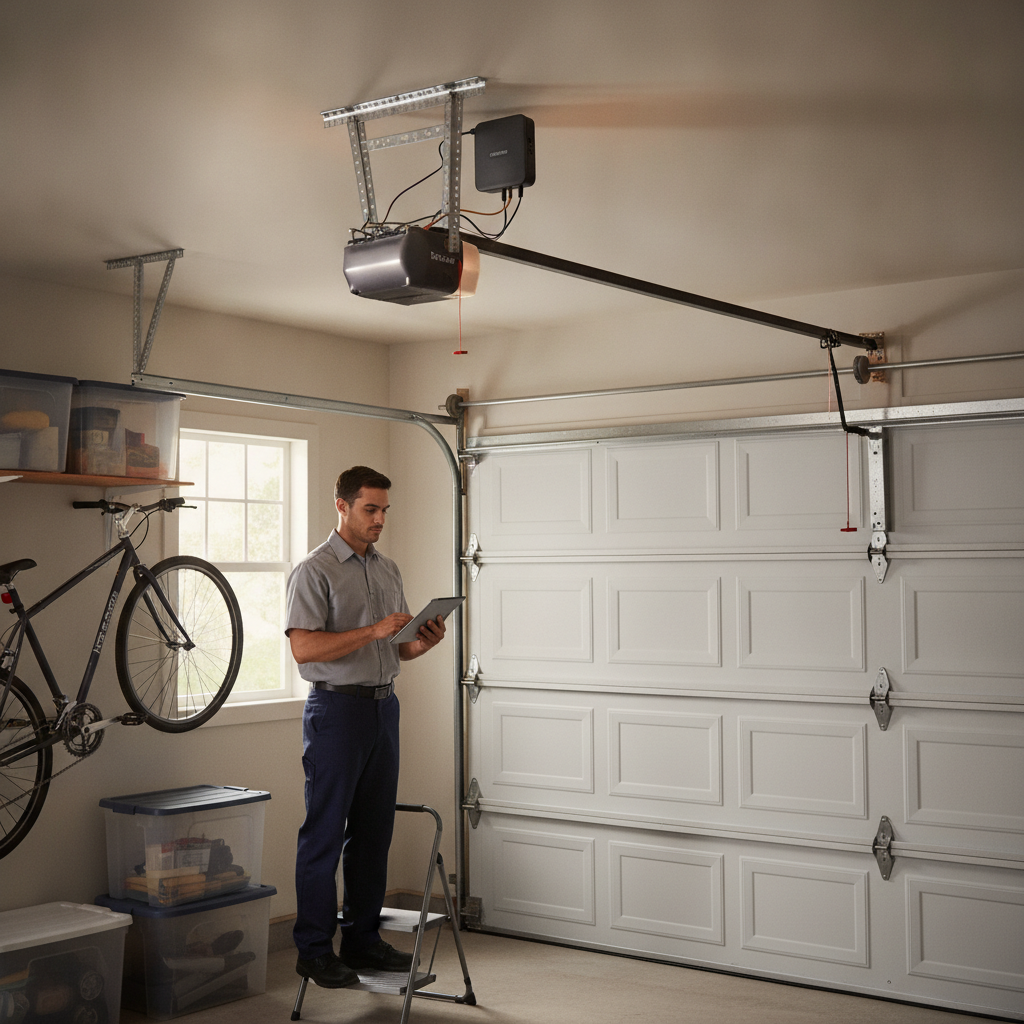
Yes, you can often make your garage door opener smart without replacing the entire opener. In many homes, a smart garage door controller can connect to the existing opener and let you monitor or control the door from a phone. The key is making sure the opener is compatible, the door system is safe, the Wi-Fi signal is strong enough, and the security settings are used properly.
A smart add-on is not a repair for a worn-out opener or a damaged door. The opener and garage door should already operate smoothly and consistently before connected features are added. If the door is noisy, jerky, unbalanced, or unreliable, address those issues first.
How Smart Garage Door Opener Add-Ons Work
Most smart garage door opener add-ons use a small controller installed near the opener motor. The controller connects to your home Wi-Fi network and communicates with an app. When you tap the app, the controller sends a signal to the opener, similar to pressing the wall button.
Many systems also include a door position sensor. This sensor tells the app whether the door is open, closed, or partly open. Without a reliable sensor, the app may not show the correct door status.
Some smart systems are made by opener manufacturers, while others are universal add-on controllers designed for several opener brands. For a broader overview of the technology, see our guide on how smart garage door openers work.
Common upgrade options include:
- Manufacturer bridge or hub: A device made for a specific opener brand or product family.
- Universal smart controller: An add-on that connects to compatible opener terminals and uses its own app.
- Smart wall control system: A compatible wall control that adds connected features.
Each approach can work well, but the right choice depends on the opener already in your garage.
Compatibility Checks Before You Buy
Before choosing a smart controller, check the opener model number and the manufacturer’s compatibility list. The model number is usually on the opener motor housing, often near the light cover, side panel, or back panel.
Compatibility depends on more than the brand name. Two openers from the same brand may use different wall controls, security systems, or communication methods. Some newer openers use encrypted wall button signals that may require a special adapter or a manufacturer-approved smart accessory.
Review these items before buying a device:
- Opener age and model: Older openers may not support modern add-ons reliably.
- Wall button wiring: Many universal controllers need access to standard low-voltage wall button terminals.
- Safety sensors: Photo-eye sensors near the floor should be present and working.
- Door type: Most add-ons are intended for sectional overhead doors, not one-piece tilt-up doors.
- Number of doors: A two-door garage may need a controller that supports separate doors and sensors.
- Special modes: Lock modes, vacation settings, and battery backup features can affect app control.
Also consider the current condition of the opener. If it hums, struggles, reverses unexpectedly, or does not move the door, smart controls will not solve the root problem. A symptom like a garage door opener hums but does not move can point to issues that should be diagnosed before adding smart control.
Door Sensor Placement Matters
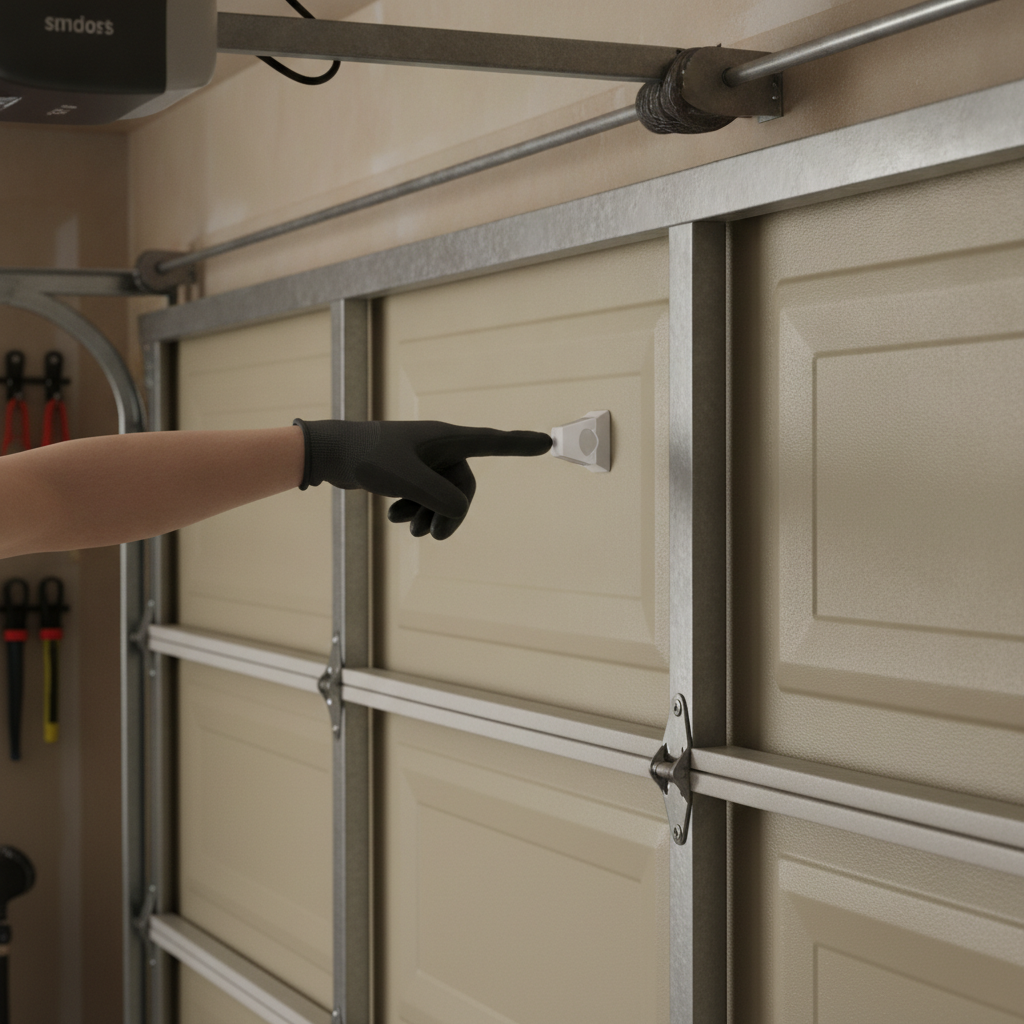
The door position sensor is one of the most important parts of a smart setup. It tells the controller what the door is doing. If the sensor is loose, blocked, or mounted incorrectly, the app may report the wrong status.
Smart garage door systems commonly use tilt sensors or contact sensors. A tilt sensor mounts to the door and detects the angle of the section. A contact sensor uses two pieces that line up when the door is closed. Some systems are wired, while others use battery-powered wireless sensors.
For many sectional doors, a tilt sensor mounts on the top door section so it can detect when the door begins moving upward along the tracks. Exact placement depends on the product instructions and the door design.
Good sensor placement should allow the sensor to:
- Stay firmly attached during normal door movement.
- Avoid hinges, rollers, tracks, and moving hardware.
- Remain protected from direct impact and vibration.
- Communicate reliably with the smart controller.
- Report open and closed positions consistently.
Do not bypass or remove garage door safety sensors to make a smart device work. The photo-eye sensors near the bottom of the tracks help prevent the door from closing on people, pets, or objects. If those sensors are missing, misaligned, or damaged, the door should be inspected before smart control is added.
Wi-Fi and App Reliability in the Garage
Smart garage door controllers depend on a stable Wi-Fi signal. Garages often have weaker signal strength because walls, insulation, brick, metal doors, and appliances can interfere with wireless communication. When the signal is weak, the opener may appear offline even though the controller still has power.
Many smart garage door devices use 2.4 GHz Wi-Fi. That band often travels farther through walls than 5 GHz, but every product is different, so check the device requirements before buying.
Test Wi-Fi near the opener before installation. If your phone barely connects in that spot, the controller may also struggle. A mesh Wi-Fi node or range extender can sometimes help, but it needs to improve the signal at the opener, not just near the house entry door.
Detached garages can be more challenging because of distance from the router, exterior wall materials, and electrical interference. In Central Indiana, garages also experience seasonal temperature swings, so choose devices rated for garage conditions and keep the controller away from moisture.
A smart opener should be treated as a convenience feature, not your only way into the garage. Keep a working remote, keypad, or house entry option available.
Security Features to Review
A smart garage door opener controls a major access point to the home, so security deserves attention. Start with the account. Use a strong password that you do not use elsewhere. If the app offers two-factor authentication, turn it on.
Also review how the system shares access. Many apps let you invite family members, tenants, or service providers without sharing your main password. Remove access when someone no longer needs it.
Useful security and privacy settings may include:
- Activity alerts: Notifications when the door opens, closes, or stays open.
- Access history: A log showing when the door was used.
- Temporary users: Limited access for a specific person or period.
- Auto-close options: Settings that close the door after a chosen time, if appropriate for your household.
- Camera integration: Optional visual confirmation, depending on the system.
Be cautious with auto-close features. They should never replace working safety sensors or common sense. Make sure the doorway is clear before closing the door, even if you are using an app.
When a Smart Add-On Is Not the Best Choice
A smart controller makes sense when the existing opener is compatible, dependable, and connected to a safe garage door system. Replacement may be better if the opener is outdated, unreliable, or missing important safety features.
Consider a professional inspection if the opener runs but the door does not move consistently, the door reverses for no clear reason, the opener is very loud, the door is crooked or off-track, or the safety sensors are missing or frequently misaligned.
If the door is crooked, hanging, or off-track, stop using it and keep people and pets away. Do not stand under an unstable door or try to force it open or closed. High-tension parts, including springs and cables, can be dangerous when damaged or under load.
In some cases, a new opener with built-in smart features is cleaner than adding a separate controller. Newer openers may also offer quieter operation, battery backup options, improved lighting, or better accessory compatibility. The right choice depends on the current door, opener, wiring, and how you use the garage.
Frequently Asked Questions
Can any garage door opener be made smart?
No. Many openers can be upgraded, but not all are compatible with universal smart controllers. Model number, wall control wiring, safety sensors, and opener age all matter.
Will a smart controller fix an opener problem?
No. A smart controller only adds connected control and monitoring. If the opener, springs, cables, tracks, or door balance have problems, those issues need proper diagnosis.
Do smart garage door openers work during a power outage?
Only if the opener and network equipment have power. Some openers include battery backup, but Wi-Fi routers and smart controllers also need power to stay online.
Get Help Choosing the Right Smart Opener Option
If your current opener works well, a smart add-on may be a practical upgrade. Still, it is worth checking compatibility, Wi-Fi strength, sensor placement, and the overall condition of the door before you buy.
Ultimate Garage Doors helps homeowners and property owners in Indianapolis and surrounding Central Indiana with opener repair, opener installation, and garage door system inspections. If you are unsure whether to add a smart controller or replace the opener, request a garage door estimate and get guidance based on your existing setup.